
A professional email address on a domain you own, set up entirely from the device in your hand. No laptop.
No credit card Three DNS records About three minutes
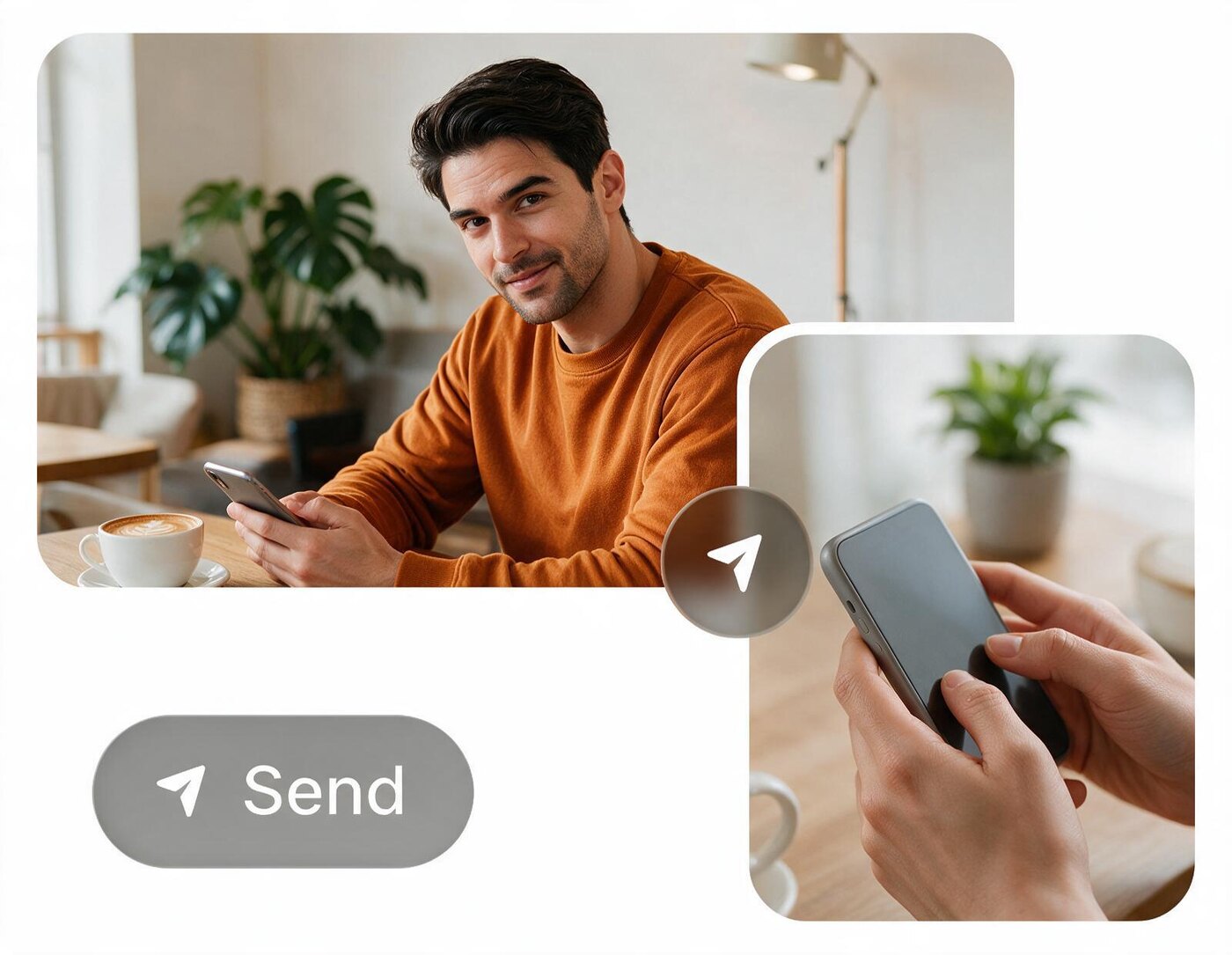
Everything happens on the phone you are holding.
On an iPhone or an Android phone, that is an app on your home screen or a browser tab, whichever you reach for. They are one account, so it is never a decision you are stuck with.
- Mobile browser
Today
The full product — setup, mailbox creation, inbox, composer — in Safari, Chrome or whatever you already have open. Nothing to install.
- iOS app
Today
A native iPhone and iPad app with push notifications and the share sheet, free on the App Store. The same account and the same mailboxes as the browser — installing it moves nothing.
View on the App Store- Android app
Today
Free on Google Play since September 2026, with push notifications, the share sheet and a home-screen icon. Same account, same mailboxes — start on one phone and pick up on the other.
View on Google Play
The app
Your domain’s mail, in your hand.

Mail arrives at your own domain
Every address you create is a real mailbox with its own inbox — searchable, paginated, with unread state and inline images. Not a forwarding rule quietly dropping mail somewhere else.
Replies leave from your address
Rich text, attachments, inline images, reply and reply-all — sent from your domain and DKIM-signed, so it arrives looking like a business rather than landing in spam.

Invitations you can answer
Calendar invites are detected in the message automatically, so an .ics arrives as something you accept with a thumb rather than a file you cannot open on a phone.

The whole setup, in Settings
Omucloud generates the exact MX, SPF and DKIM records, gives each one a tap-to-copy button, then re-checks DNS in the background until the domain flips to verified. There is no desktop admin console to find.
Made for a phone that opens.
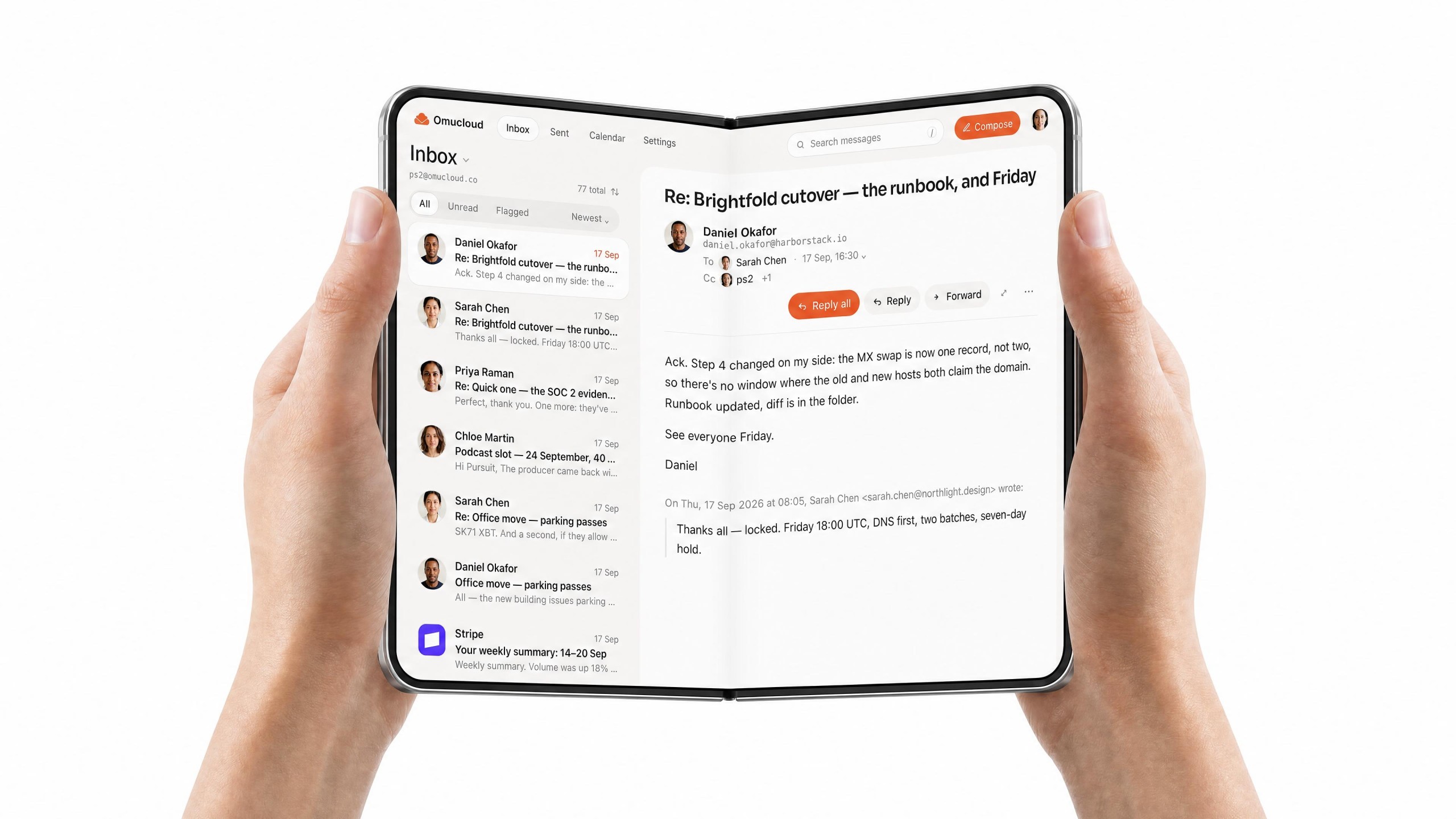
On a foldable, the app widens with the screen. Closed it is a phone; open, the inbox becomes the desk’s view — the list on the left, the letter on the right. Nothing to switch on, and the same mailboxes either way.
What a professional email address costs here.
Nothing, and that does not change with the number of people. Every other provider prices business email per user per month, which is why a four-person company that needs eight addresses pays for eight. Omucloud has no seat to count and no per-user tier to move you onto, so the only money involved is the domain you buy in your own name — unless you later want more attachment storage, which is priced per domain rather than per person.
- Addresses on your domain
- Unlimited
- Per-user pricing
- None
- Cost of the plan
- $0
Out now
On the App Store and Google Play.
Free, like the rest of it, on iPhone, iPad and Android. It signs into the account you already have, so if you set the domain up in a browser the mailboxes are waiting in the app — and if you start in the app, the browser has the same inbox open when you get to a desk.


Common questions
- Can I set up a custom domain email entirely from my phone?
- Yes. Every stage runs in a mobile browser: creating the account, adding the domain, copying the MX, SPF and DKIM records, pasting them at your registrar, waiting for verification and sending the first message. No laptop is needed at any point, and nothing has to be installed first.
- Do I need a computer to configure MX, SPF and DKIM records?
- No. Omucloud generates the exact record values for you and gives each one a tap-to-copy button, so you never retype a DKIM key on a phone keyboard. Every major registrar — Cloudflare, Namecheap, GoDaddy, Squarespace and the rest — has a DNS panel that works in a mobile browser, so pasting them is a matter of switching tabs.
- Is there an Omucloud iPhone app?
- Yes. Omucloud: Email in Your Domain is on the App Store, free, for iPhone and iPad, and it signs into the same account as the browser — whichever you set the domain up in, the mailboxes are the same. If you would rather not install anything, the interface is built mobile-first either way, with a bottom tab bar, a card feed and a full-screen composer.
- Is there an Android app?
- Yes. Omucloud: Business Email is on Google Play, free, with push notifications for new mail. It signs into the same account as the iPhone app and the browser, so a team can mix phones freely — every mailbox on the domain is the same wherever it is opened. Nothing about the setup changes either: the domain, the DNS records and the addresses are all managed from whichever surface you happen to be holding.
- Can I create multiple email addresses for one domain from my phone?
- Yes, and there is no limit on how many. Once the domain is verified you can create as many addresses on it as you want from Settings — info@, support@, billing@, one for each person — each a real mailbox with its own inbox and password. There is no seat to count and no per-user charge.
- Can I add and manage mailboxes for my team from my phone?
- Yes. Creating an address, setting its password and removing it are all in the same mobile interface as the rest of the product. There is no separate admin console you have to open on a desktop to administer the domain.
- What if my domain registrar has no mobile app?
- It does not matter. You publish DNS records through your registrar's website, and every mainstream registrar's DNS panel works in a mobile browser. A dedicated app is a convenience, not a requirement — the records are three copy-and-paste operations either way.
- Is business email on my own domain really free?
- Yes. Using email is completely free — no per-user pricing, no subscription and no credit card — and unlimited addresses on your verified domain are included. Should you ever need more attachment storage than free provides, optional paid plans are available for a domain. Otherwise the one cost in the whole arrangement is the domain itself, which you buy in your own name from a registrar for roughly 10 to 15 USD a year.
Your domain. Your phone. About three minutes.
Unlimited professional email addresses on a domain you own, sending and receiving, permanently free — set up without ever opening a laptop.
Related readings
- How to set up a custom domain for email
The step-by-step version: what MX, SPF and DKIM each do, and where every registrar hides its DNS panel.
- The Feed, made for the phone
Feed-based email: the inbox read as a continuous feed, newest first, a thumb saying who matters. Coming soon.
- What free covers, and its limits
Why there is no per-user price here, and every limit that does exist written down in one table.
- Omucloud vs Zoho Mail Forever Free
Zoho ships mature mobile apps and caps its free plan at five users. Where each one wins.
- What Omucloud actually does
The product in one page — a real two-way inbox on the domain you own.